
One roster for every agent, license, and staff member.
Onboard new agents in one flow, track licenses before they expire, and manage staff with role-based permissions. Without the spreadsheet that runs your firm today.
Your team should not live in a spreadsheet
Most brokerages track their agents in Excel, license expirations in a calendar reminder, and staff in a different tool entirely. Kapytl puts every agent and staff member in one roster with the data you actually need: license status, onboarding progress, contact, and role.
License tracking built in
Every agent record carries license number, state, and expiration. Filter by Expiring Soon or Expired so no license lapses unnoticed.
View demoOnboard agents in one flow
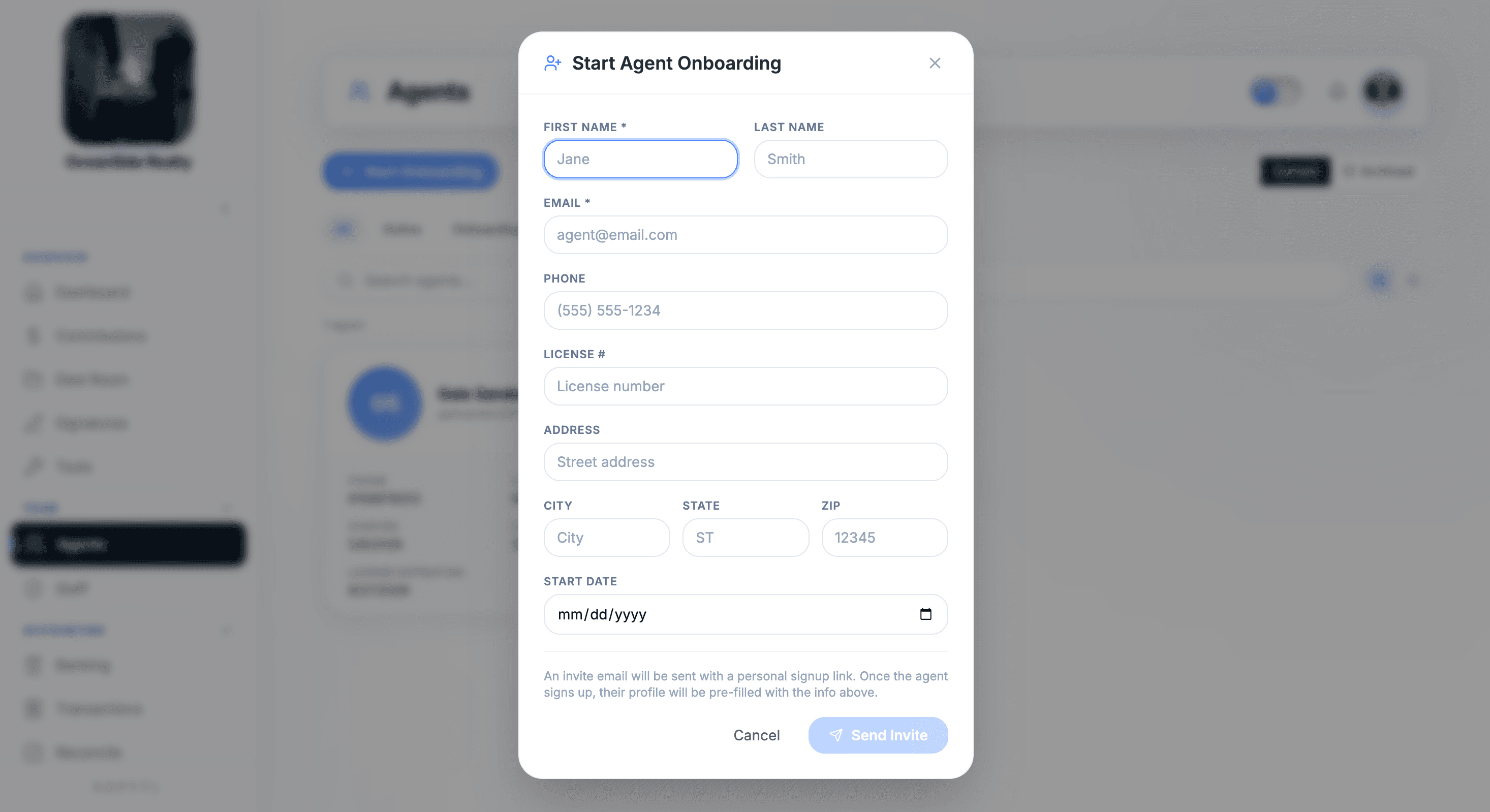
Start Agent Onboarding captures name, license, contact, and start date. Kapytl emails a personal signup link and pre-fills the new agent's profile.
View demoAgents and staff, with the right access
Agents see their own deals. Owners and accounting staff see what their role allows. Add a staff member with one click and pick their role.
View demoWhat every agent record carries
Replaces the dozen fields you track in a spreadsheet today, with filters and reminders built in.
From hire to license renewal, all in Kapytl
One screen flow per task, no copy-pasting between tools or spreadsheets.
Your roster, filtered by what matters
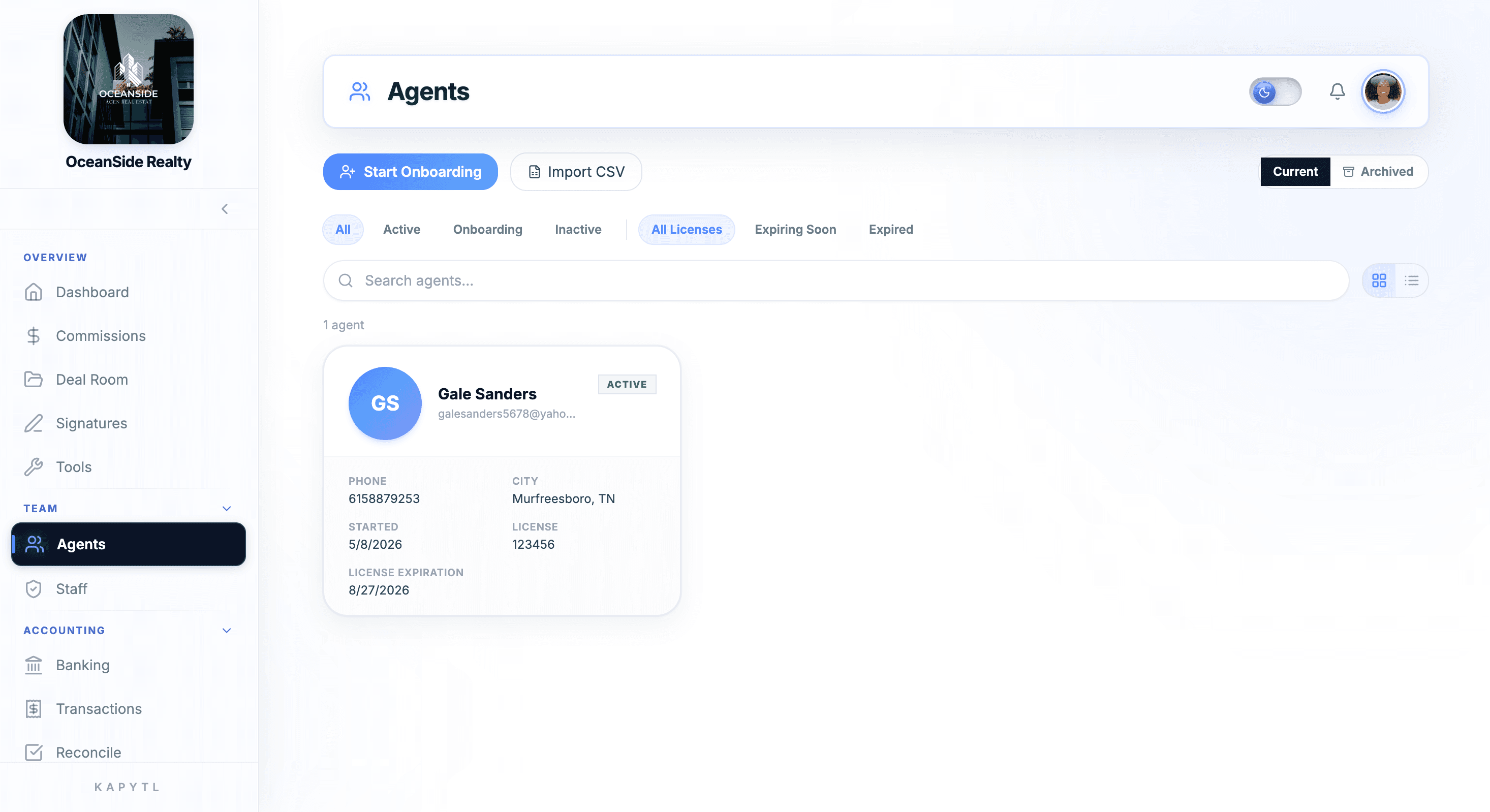
Agents view shows every active agent with name, license, city, and onboarding status. Filter for All Licenses, Expiring Soon, Expired, Onboarding, or Inactive in one tap.
Start onboarding without leaving the page
Start Agent Onboarding captures the basics: first name, last name, email, phone, license number, address, and start date. Send Invite emails a personal signup link that pre-fills their profile.
Edit a profile in one place
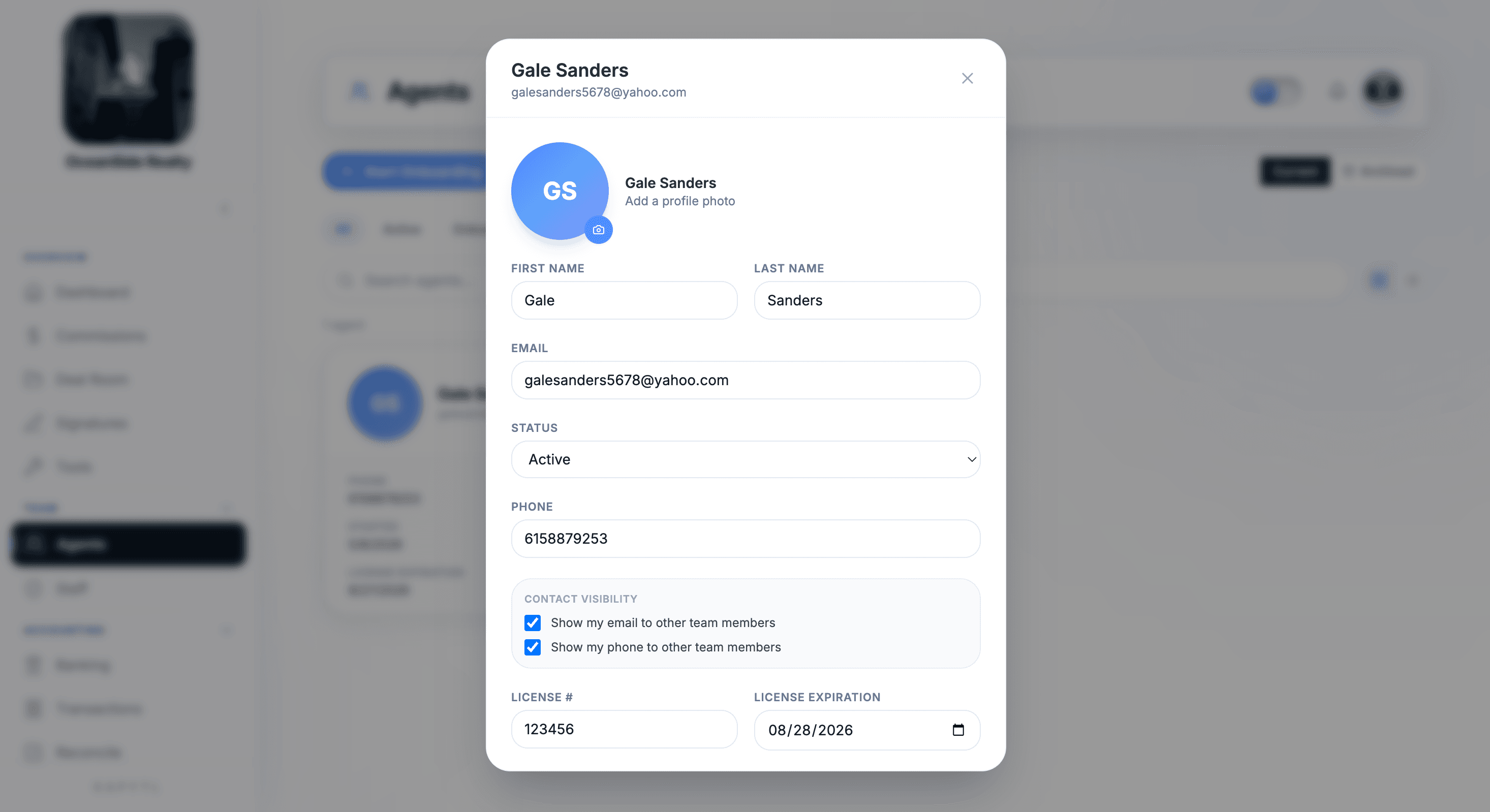
Open any agent to update license, status, contact, expiration date, and visibility preferences. Agents can edit their own profile too, so the roster stays current without admin chase work.
Staff with role-based access
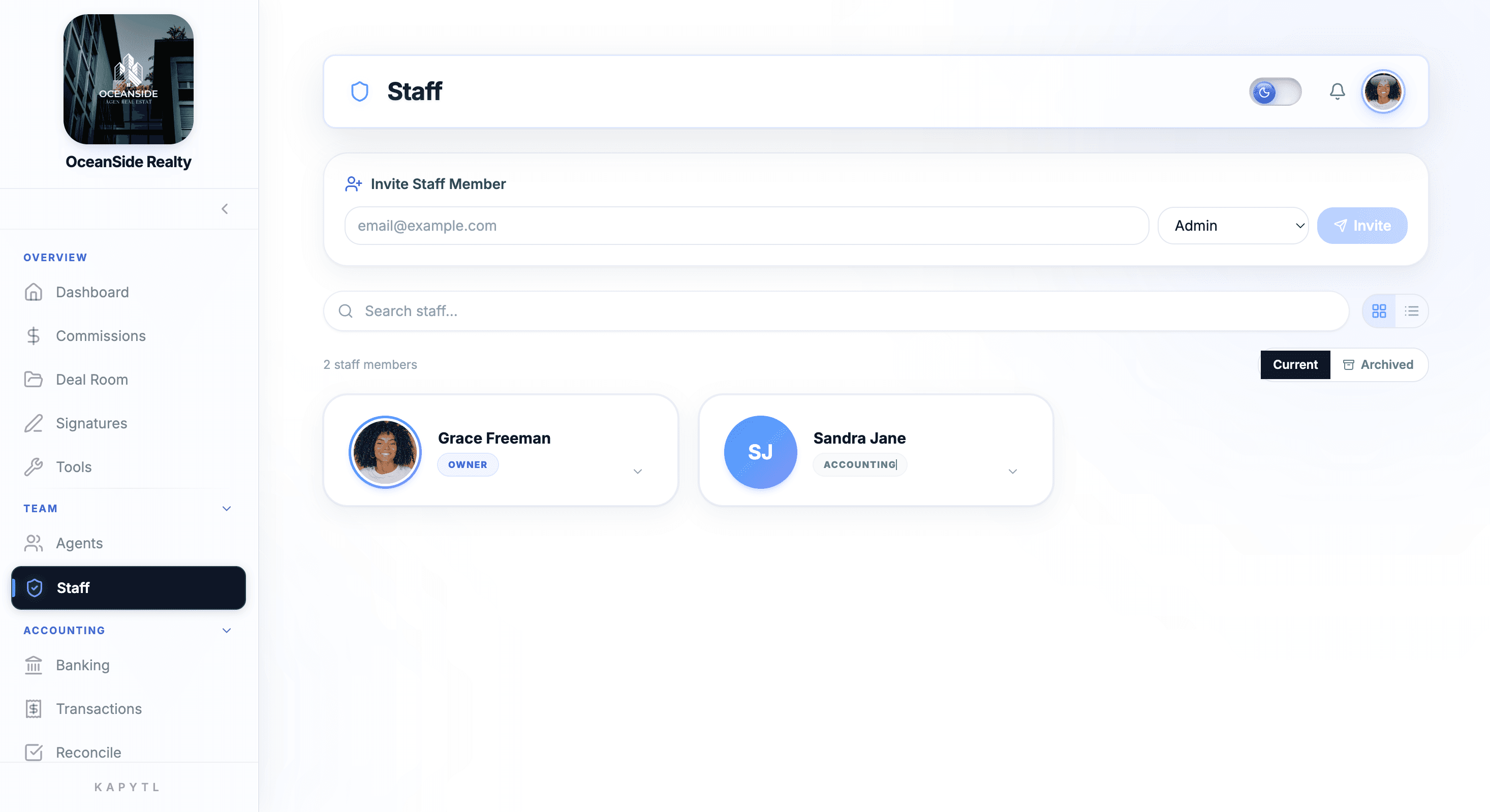
Invite owners, accounting staff, and admins separately from agents. Each role sees what they should and nothing they shouldn't. One roster, two sides, clean permissions.
Stop finding out a license lapsed from the state.
Kapytl flags every license that is about to expire and surfaces them as filter chips on the Agents page. You see who needs to renew this month, not next quarter when it is already a problem.
- Filter chips for All, Active, Onboarding, Inactive, All Licenses, Expiring Soon, Expired.
- License expiration captured on every agent record at onboarding.
- Sort the roster by license expiration date when renewal season hits.
Owners, agents, and accounting staff each see the right thing.
Agents and staff live in two separate areas of Kapytl. Agents work their deals. Staff handle accounting, admin, and oversight. The data they see, edit, and report on is scoped to their role.
- Invite a staff member with email and pick their role: Admin, Accounting, or Owner.
- Agents see their own pipeline; brokers and admins see the full firm.
- Contact visibility toggles let each agent control what teammates can see.
Frequently asked questions
Click Start Onboarding, fill in the agent's name, license, contact, and start date. Kapytl emails a personal signup link. When the new agent signs up, their profile is pre-filled with the info you entered and they can finish setup themselves.
Every agent record stores a license number and expiration date. The Agents page has filter chips for Expiring Soon and Expired so you see who is at risk at a glance. Sort the roster by expiration to plan renewal outreach.
Yes. The Import CSV button on the Agents page handles bulk roster imports so you don't onboard each agent one at a time. Bring your full firm in once and Kapytl is your single source of truth from there.
Yes. Each agent can update their own name, email, phone, license, and contact visibility preferences. The roster stays current without admin chase work.
Agents close deals, carry licenses, and work the pipeline. Staff (Owners, Admins, Accounting) handle the back office. They live in two separate areas with role-based permissions so each side sees only what they should.
Set the agent's status to Inactive or archive their record. Their deals and commissions stay attached to the historical record for compliance and reporting. You can reactivate them any time.
Stop tracking your team in Excel.
Talk to our team about onboarding your brokerage. Roster size, structure, and splits all welcome.