
Your whole stack, one tap away from every agent.
Curate the tools your firm runs on (MLS, Canva, Zoom, YouTube, dotloop alternatives, anything with a URL) into one launcher every agent sees from day one.
The tools your brokerage uses, in one launcher
Most brokerages onboard agents with a Word doc full of links, a Slack channel of bookmarks, and a 'where do I find X?' email thread that never dies. Brokerage Tools turns that mess into one curated launcher every agent can open from their dashboard on day one.
Curated for your firm
Only the tools your brokerage actually uses, in one launcher. No browser bookmark chaos, no five-page onboarding email.
View demoAdd anything with a URL
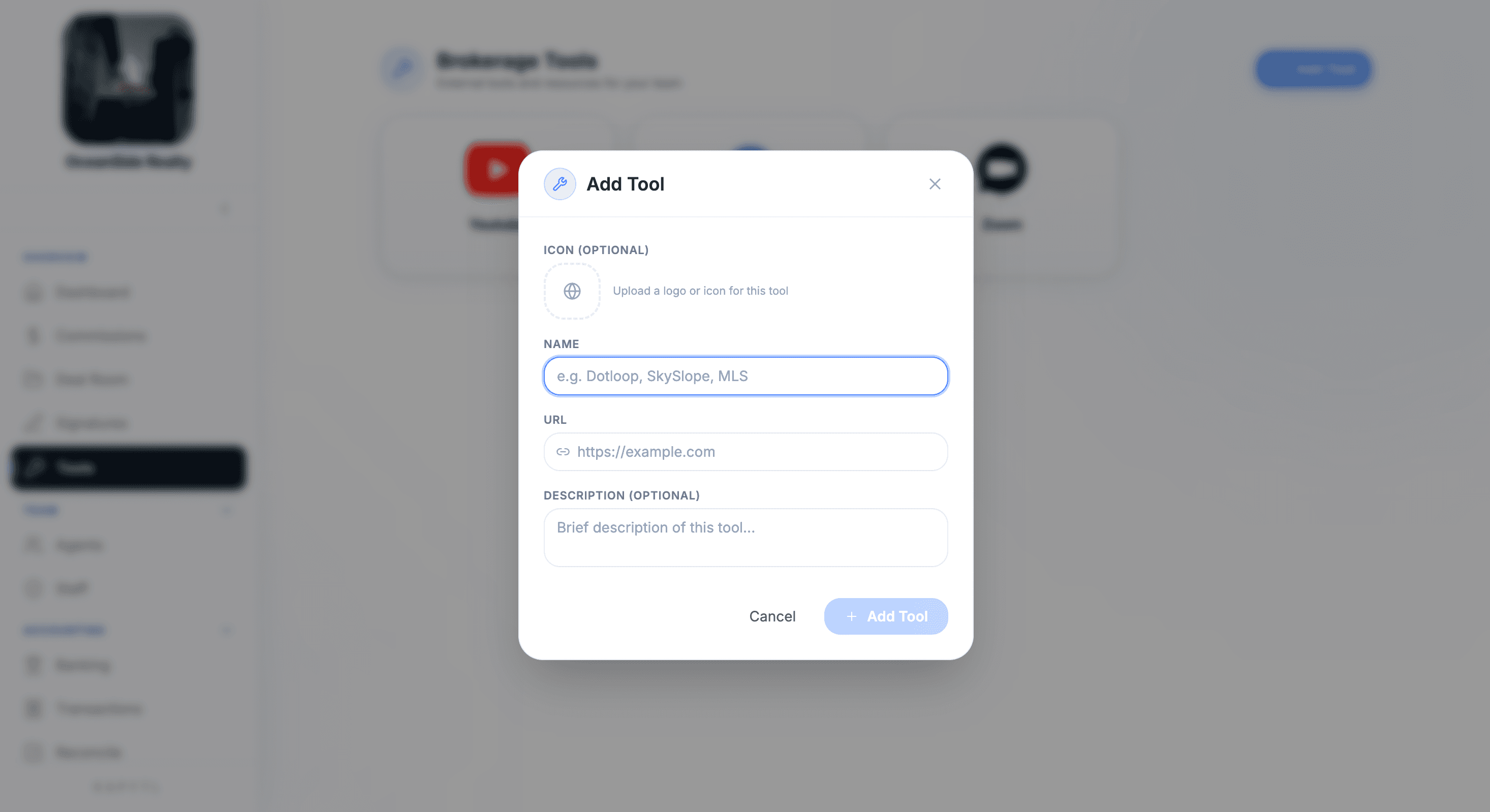
MLS, Canva, Zoom, dotloop, Skyslope, your firm's intranet, a referral form. If it has a link, it belongs in Tools.
View demoEvery agent sees the same stack
The launcher is firm-level. A new hire on day one opens the same Tools tab as your top producer. Onboarding ends with one click.
View demoWhat every tool entry carries
Each tool in the launcher is a clean card with the metadata your team needs to find and use it.
From bookmark chaos to one curated launcher
Add a tool, edit it, and every agent in your firm sees the change instantly.
All your tools in one launcher
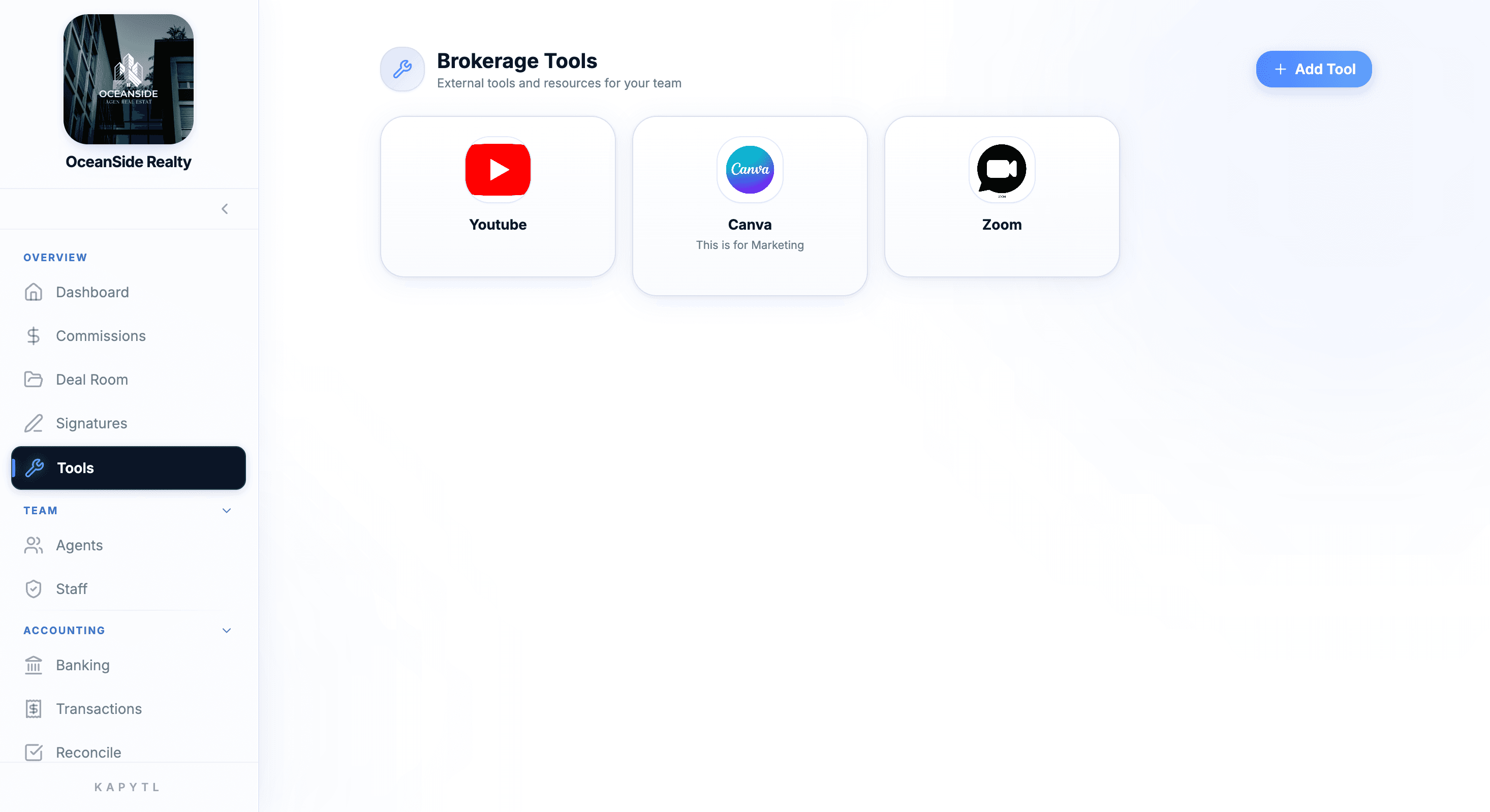
The Brokerage Tools page shows every approved tool as a clean card with logo, name, and short description. Click any card to launch the tool in a new tab.
Add any tool in seconds
Add Tool captures the basics: icon, name, URL, and an optional description. Use it for SaaS your firm pays for, or just for the MLS link every agent forgets.
Edit, rebrand, or remove anytime
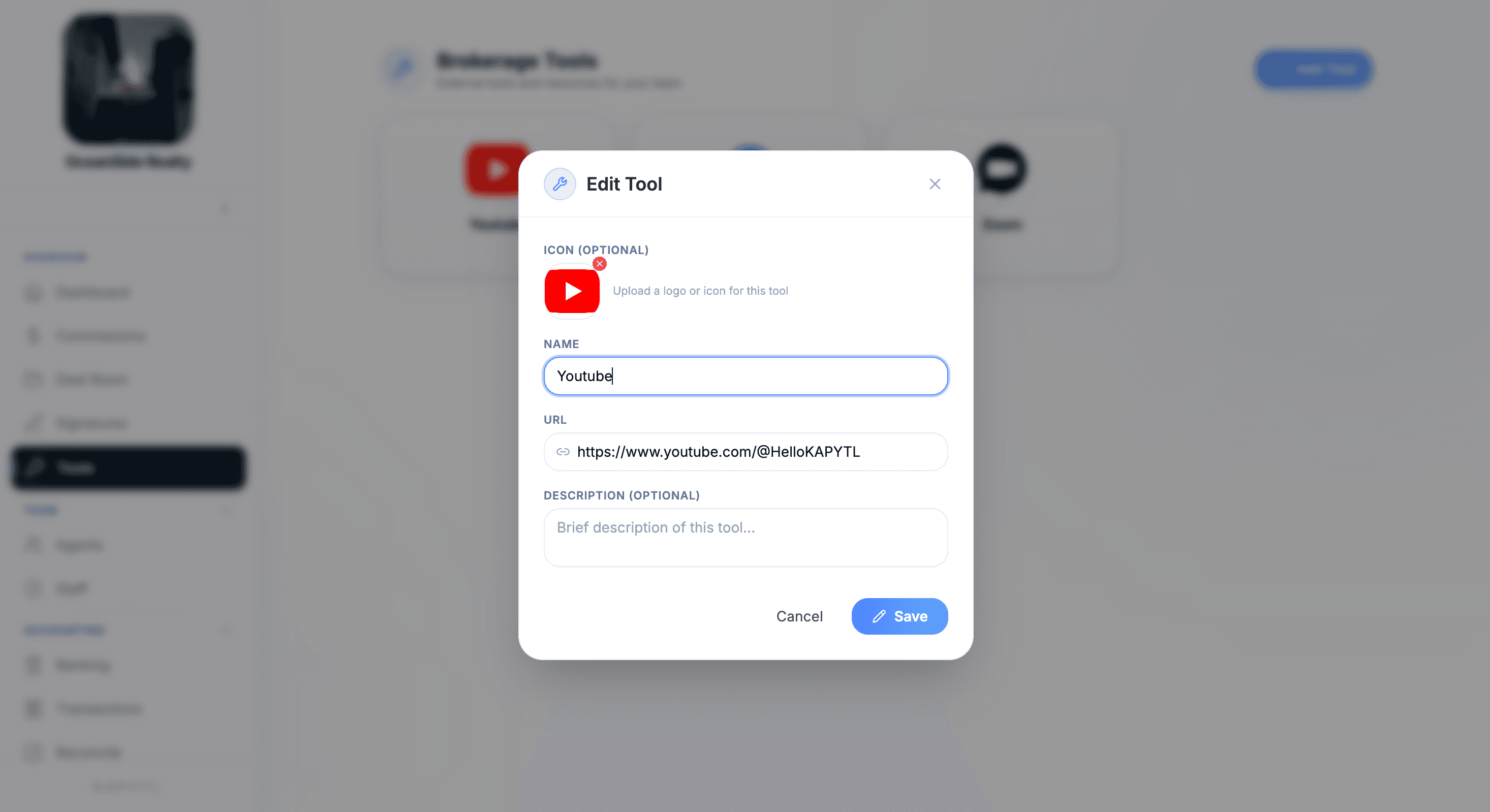
Tools change. Edit Tool lets you swap the icon, update the URL when a vendor moves domains, or rewrite the description for new agents. Saved firm-wide in one click.
Your firm's tool stack stops living in a Google Doc.
When your stack changes (and it always does), update it in one place. Every agent's launcher updates automatically. No 'where's the new link?' Slack pings, no stale bookmarks.
- Curated list, not a free-for-all. Only owners and admins add tools.
- URL changes once and updates everywhere immediately.
- Removed tools disappear from every agent's launcher in the same tap.
New hires get the whole stack on day one.
Onboarding stops being a doc full of links. The new agent opens Kapytl, clicks Tools, and they have everything from MLS to Canva to your firm's training portal in one place.
- Drop links to MLS, Canva, dotloop, Skyslope, Zoom, training portal, anything.
- Custom icon or auto-detected logo per tool keeps the launcher recognizable.
- Short description per tool tells the new hire what it is for.
Frequently asked questions
Anything with a URL. MLS portals, Canva, Zoom, YouTube channels, dotloop, Skyslope, training portals, your firm's intranet, a referral form, a Google Drive. If your agents need to get to it, it can live in Tools.
Owners and admin staff. The launcher is firm-curated so new agents see a clean, vetted list rather than a free-for-all of personal bookmarks.
Yes. Each tool can carry a short description that doubles as context for new agents, and the launcher supports category grouping for larger stacks.
Tools is a launcher, not an integration layer. Click a card and the tool opens in a new tab where you sign in normally. The point is making the stack discoverable, not rebuilding every vendor.
New agents open Tools on day one and have the full firm stack right there: MLS, training, design tools, signing, comms. No 'send me the link' Slack message, no five-page onboarding email.
Yes. Upload a logo or icon for any tool, or leave it blank and Kapytl will use a default. Custom icons make the launcher look like your firm's branded portal.
Stop onboarding agents with a Word doc of links.
Talk to our team about curating your firm's stack inside Kapytl. Tool count, integrations, and team size all welcome.