
Trusted By Real Estate Agents.
Kapytl helps agents keep money clean and spot $3,000 to $8,000+ in potential expenses.
 JC
JC SP
SP
Join agents using Kapytl to feel more organized before tax time.
Commissions, end to end
Most agents track commissions in a spreadsheet that is always out of date. Kapytl keeps every deal, every split, and every related expense connected, so your projected take-home is always one tap away.

Commissions, demystified
From the moment a deal is logged to the moment the check clears.
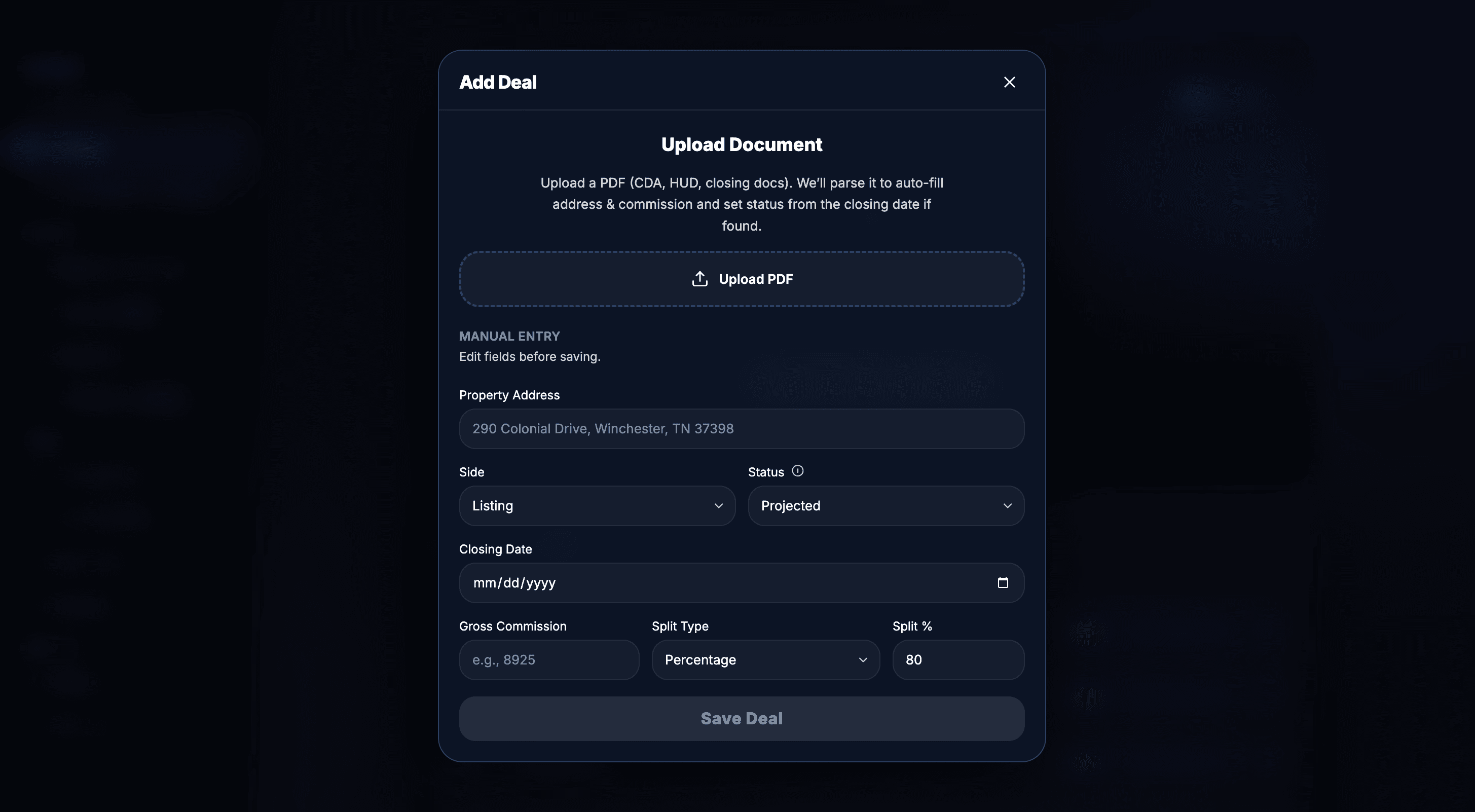
Add a deal in seconds
Upload the CDA or HUD and Kapytl parses the address, commission, and closing date. Or manual-enter the basics and save in under a minute.
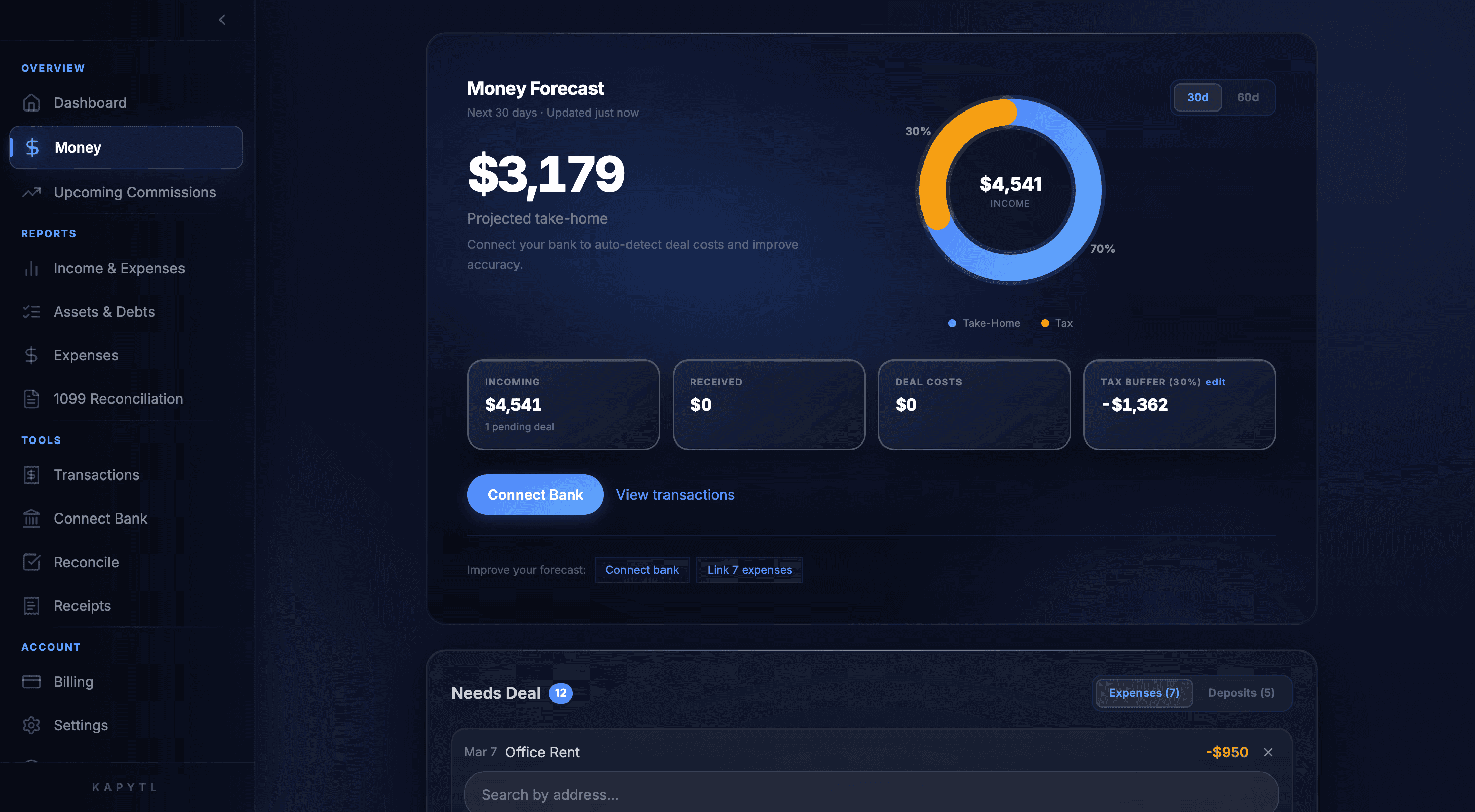
Real-time money forecast
A live view of projected take-home, pending vs paid, tax buffer, and deal costs. Updates the moment a deal closes or an expense lands.
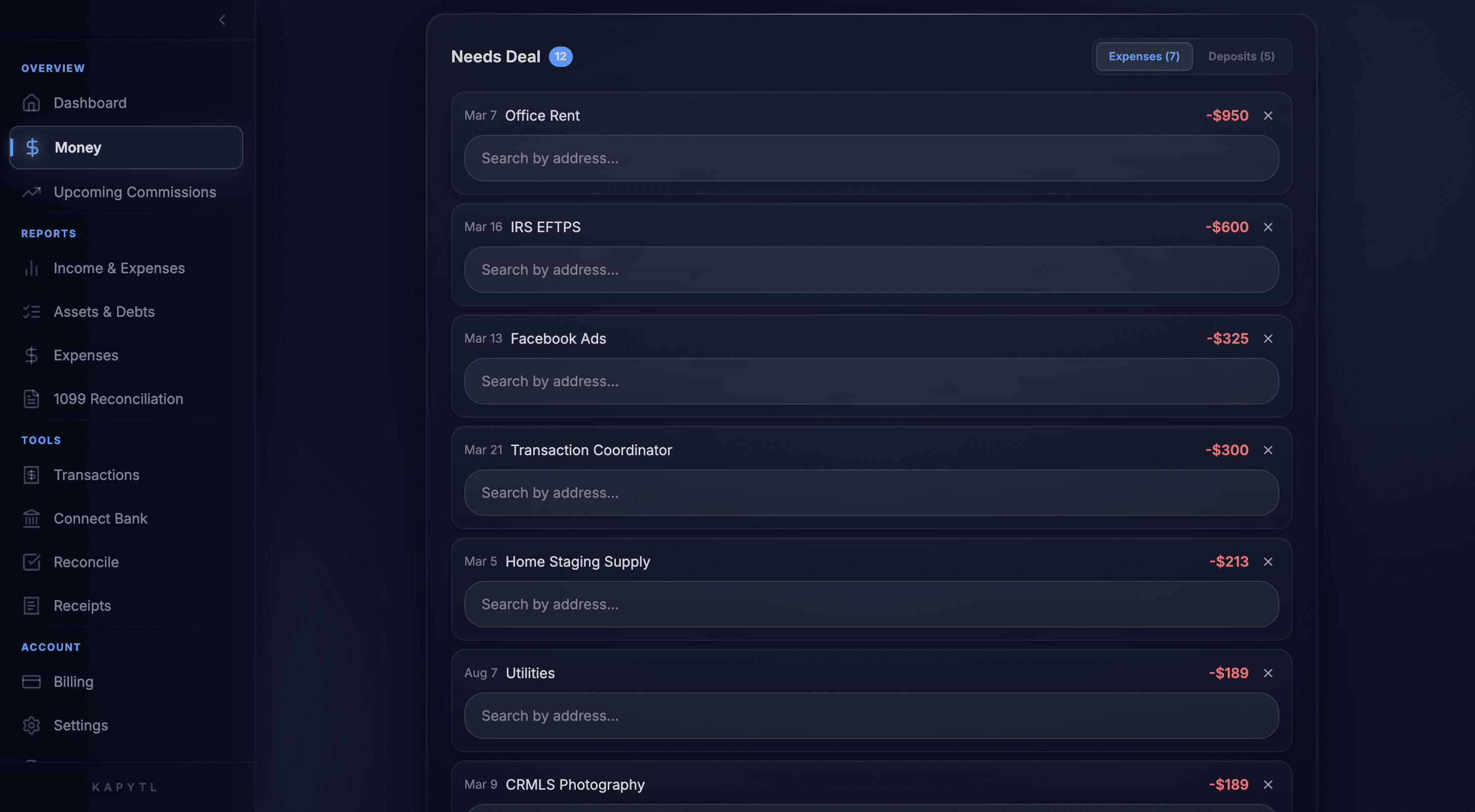
Every cost tied to its deal
Kapytl flags expenses that need a deal assignment and lets you link them in one tap by address. No more deal P&Ls missing half the costs.
Gross to net, per closing
Commission, broker split, deal expenses, and your tax reserve subtracted automatically. The number you see is the number you actually keep.
Pending to paid, projected to actual
Every deal moves through a clean funnel: projected, pending, closed, paid. See exactly where your pipeline stands at any moment.
Get started freeSplits and broker share, calculated
Set your split type and percentage once per brokerage. Kapytl applies it automatically to every closing, with the broker share and your net always visible.
Get started freeEvery cost on every deal
Tie marketing spend, staging, photography, and closing costs to the deal they belong to. Your net is your real net, not just gross commission.
Get started freeKnow your take-home before the check clears.
Kapytl combines your projected commissions with a real-time tax buffer and deal-cost tracker, so the number on your dashboard is the number you will actually keep.
- Projected take-home updates as deals move from projected to pending to closed.
- Live tax buffer set aside automatically so April is never a surprise.
- Pending vs paid donut so you see what is in the pipe and what has landed.
Every dollar, from gross commission to your real net.
Each closing comes with a clean Deposit Summary: gross commission, broker split, deal expenses, and your tax reserve. The bottom line is what actually hits your bank account.
- Broker split applied automatically with your brokerage's rate.
- Tax reserve calculated and held back so estimated taxes are covered.
- Toggle Before Tax / After Tax to see both views in one tap.
Tie every expense to the deal it belongs to.
Kapytl spots costs that look deal-related and asks you to link them. Office rent stays general, staging gets tied to 290 Colonial Drive. Your per-deal net is always real.
- AI suggests deal links for the expenses that look transaction-related.
- Link with one tap by typing the address.
- Each deal carries its full P&L: gross, splits, costs, and your net.
What Kapytl tracks per deal
Each closing comes with a clean P&L that follows it from contract to check.
Frequently asked questions
Set your split type (percentage or flat) and rate once per brokerage. Kapytl applies it to every deal automatically, with overrides per closing if needed.
Yes. Use projected and pending statuses to see what is coming. Your money forecast includes pipeline alongside paid so you can plan ahead.
Yes. Brokers see every agent's pipeline, agents see their own. Splits roll up the way your brokerage actually runs.
Every closing shows gross commission, broker share, linked deal expenses, and your real net side by side. Sort or filter by any column.
Yes. Drill into any deal to see the contract, the splits, every linked expense, and the net take-home. The full transaction story in one view.
Connect with Kapytl
Fill out the form below and we will reach out within 24 hours to schedule a free, no-pressure consultation.
100% Free
No-pressure consultation
24-Hour Response
We get back to you fast
Secure & Private
Your info stays safe